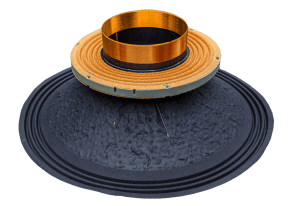
 Let’s face it, most of us aren’t really happy with the stereo system that comes in our car. Sure, if you bought a Lexus with a top-of-the-line Mark Levinson system, you’re more than likely content. For the rest of us, the good news is that for a very reasonable investment, you can upgrade the performance of your sound system quickly and easily. In this article, we’ll look at 10 upgrades that will result in better car audio and a dramatic improvement to the enjoyability of your sound system.
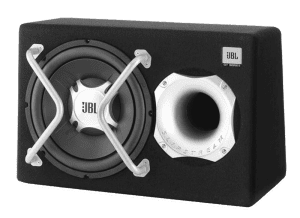
1. Add a Subwoofer
 Even the most exotic of factory-installed sound systems cannot produce amazing bass. For most of us, the speakers in the doors don’t play much below about 50Hz. This means we are missing out on more than an octave of the most fun part of our music.
Adding a subwoofer does more than just improve the bass in your car, it eliminates the need for your smaller speakers to try to produce bass. The result is that they will sound better, play louder and likely last a lot longer.
Subwoofer upgrades range from pre-fab enclosures that will sit in your trunk or cargo area to custom-built systems that are optimized for the space in your vehicle and the subwoofers you choose.
2. Add an Amplifier
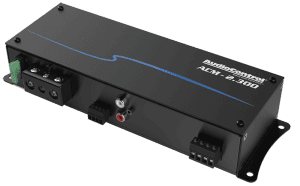 Beyond not having enough bass in a factory audio system, the next most common complaint is that the system won’t play loudly enough. While the speakers in your car are limited in their capabilities, the most common issue is a lack of power from the radio or amplifier. Your local mobile electronics specialist can add an amplifier to your system that will let you crank up your tunes without the system distorting.
Compact amplifiers that will produce a good, clean 50 watts per channel are a great starting point. You can easily find an amp that produces 75 to 100 watts per channel if you really want to blast your tunes.
3. Upgrade Your Speakers
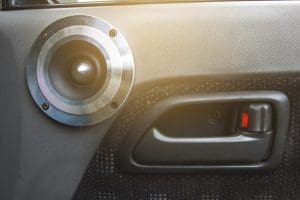
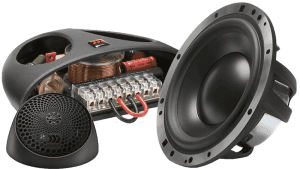 If you have read any number of our articles here at BestCarAudio.com, then you will undoubtedly know the importance of using high-quality speakers in your vehicle, or in any sound system. Speakers are the only link between the electronics in your audio system and your ears. Even the highest-resolution FLAC or DSD files and the best amplifiers known to man will sound mediocre if you don’t use high quality, low-distortion speakers.
While you are having those speakers upgraded, make sure they are being installed properly. The shop should be using plastic speaker-mounting adapters where required. Everything should be solid and secure to allow the speakers to do their job without causing buzzes or rattles.
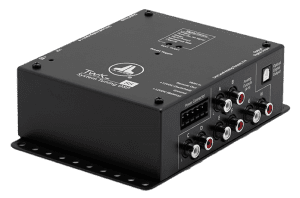
4. Add a Digital Signal Processor
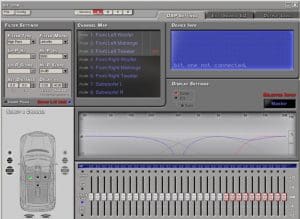
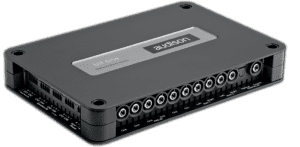 For too long, adding a signal processor has been considered the icing on the cake when it comes to premium audio system design. The reality is, as soon as your budget allows for it, adding a processor can dramatically improve the performance of even a modest installation.
In the hands of the properly trained technician, the signal delay and equalization capabilities of a good processor can smooth the frequency response of the speakers in your car, truck or SUV to make your music sound lifelike. Adjustments to output levels and signal delay can create a realistic listening experience that sounds as though you were front row at your favorite concert or sitting in a living room, listening to an exotic sound system.
Processors are available as stand-alone solutions that can be inserted into your audio system between the head unit and the amplifier. If you are building a system from scratch, many companies offer high-quality amplifiers with integrated digital signal processors.
5. Add Sound Deadening
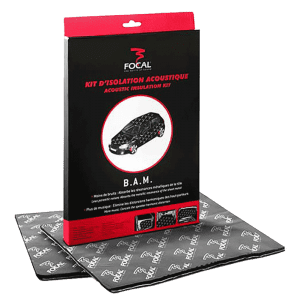 If you have ever upgraded a sound system by switching from an inexpensive amp to a great one, you may have noticed there is less background noise or hiss. When listening to music in our vehicles, we need to try and ignore wind and road noise and sound from the engine and exhaust system. Having your local car audio specialist retailer add a layer of sound deadening to your doors, the firewall, the floor or the roof will dramatically reduce the noise in your vehicle. If the doors are sealed properly with deadening, the performance of the speakers in them will also improve significantly.
When shopping for sound deadening, the number one priority is to pick a product that will remain adhered to the vehicle. We’ve seen many damping products that turn gooey and melt when hot. Ask to see a sample of the damping material and heat it up with a lighter to see if it melts before you let someone cover the inside of your car with it.
6. Listen to Better Music
 No, we aren’t dissing your gangster rap or John Fogerty CDs. There has been a trend of late to focus on high-resolution audio files like FLAC and DSD. While the mechanical limits of these file formats dramatically exceed the listening limits of all humans, the improvement in recording and mastering equipment required to create these recordings is of excellent quality. In short, even within the standard 20Hz to the 20kHz range, high-res audio files sound better because they are created better.
You can find high-res audio files at websites like Tidal, HDtracks, iTrax and 7Digital.
7. Upgrade Your Electrical System
If you want your amplifier to produce power, it needs to be fed power. After all, that energy needs to come from somewhere, right? The electrical systems in modern cars and trucks are designed to only “just” supply the vehicle with the power it needs to operate the engine, lights, climate control system and the radio that came with the car. If you add a 1,000-watt amplifier, you will tax the electrical system.
 The easiest upgrade is a high-quality battery. Look for an absorbed glass mat (AGM) battery from a reputable brand. These batteries are more rugged than conventional flooded lead-acid cells and can produce a little extra voltage. Always choose the largest battery possible for your application. More capacity will provide increased play time when the vehicle is turned off and more current to your amplifier when the volume is cranked.
If you are considering adding anything more than a few thousand watts of power to your sound system, then investigate upgrading the alternator in the vehicle. An automotive electrical system runs off the alternator when the vehicle is on. Most are rated for anything from 65 to 180 amps. Remember, though: Your vehicle wants to use some of that power for itself. If the vehicle is using 80 amps, and you need another 150 amps for your stereo, well, you need an upgraded alternator.
8. Have Your System Set Up by a Pro
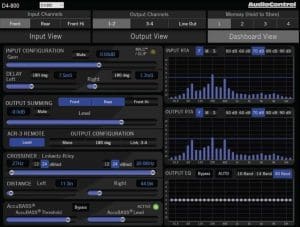 Lots of us like to install car audio equipment at home in our driveway. Do-it-yourself car audio has been popular since the 1970s and always will be. The problem is, it takes more than a solid understanding of electrical theory and physics to install and configure a modern audio system. Qualified installers use tools like real-time analyzers to set crossovers and adjust polarity. They use oscilloscopes to match the amplifier sensitivity settings to the source unit. Investing in this gear is often out of reach for most do-it-yourselfers and often overlooked. If every aspect of your audio system isn’t optimized, you are short-changing yourself on performance.
Your local car audio specialist retailer can help you get your system set up and optimized. Drop by and talk to them. In most cases, it will only take an hour or two – a small investment to improve the sound of your audio system.
9. Upgrade Your Source Unit
It’s no accident that our suggestion to upgrade the radio in your car is almost last on our list. These days, changing the radio in the dash of our vehicles is often impossible. Climate controls, vehicle information displays and configuration options and complex ergonomic creations make installing a new double-DIN radio impossible.
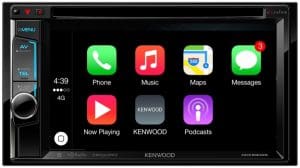
If you can replace your radio, not only will you find you get an improvement in sound (if you pick a high-quality source), but you’ll also get a lot more features. One of the most popular reasons to upgrade your radio is to add smartphone connectivity solutions like Android Auto and Apple CarPlay. Drop by the local stereo shop and see what’s available for your vehicle.
10. Upgrade Your Upgrades
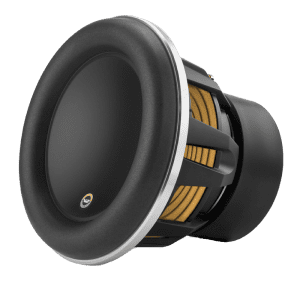 How’s that for a confusing idea? What we are talking about is replacing your existing audio equipment with even better products. Let’s say you had a set of $250 components installed in the doors of your car a few years ago, and the system is tuned to optimize those speakers with a digital signal processor. If you upgrade those to a set of $1,600 components and have the system retuned, the difference will be night and day. Your music will be clearer and more detailed. You’ll be able to pick out subtleties that were otherwise lost. Think of upgrading to amazing speakers like cleaning your glasses: Everything will suddenly become crystal clear. The same applies to upgrading your subwoofers. There is a lot of information in the bottom few octaves of your music. A better sub will recreate your bass with dramatically improved realism.
Where to Go for Better Car Audio
No matter what upgrade path you choose for your audio system, be sure to hire a reputable and qualified professional to do the work. Picking the right installer is like choosing an artist to do a tattoo or paint a portrait. You don’t want the cheapest; you want the person or team that will do the best work so you can be happy with the results.
This article is written and produced by the team at www.BestCarAudio.com. Reproduction or use of any kind is prohibited without the express written permission of 1sixty8 media.
 In the ’80s, ’90s and early part of the 2000s, upgrading the car stereo system in your vehicle was a relatively simple process. You’d start by picking out a new radio that offered the features you wanted and add a set of speakers to improve the sound of the system. Pretty much anyone with a basic understanding of electrical systems could use a wire harness adapter to install the radio, and the speaker installation was usually a drop-in upgrade, save for having to crimp on some spade connectors.
 Fast-forward to 2010 and beyond, and the world of
  When you take your new car to a shop for a sound system upgrade, there are a few steps required to ensure you will get the performance you want from the system. The first should be a series of questions from the salesperson about how you enjoy your music. Do you listen at high volume levels? Do you like lots of bass? Some will ask you what kind of music you listen to to help understand your goals for your audio system. For the truly dedicated, the questions should include a query about what you hope to improve by upgrading the system. A visit to your vehicle can often provide valuable insight into what’s missing. If you have the bass turned up on the factory radio, you may benefit from a
 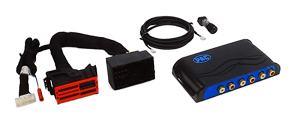 Where the expertise of a mobile electronics specialist retailer shines is in knowing how your factory stereo works and, subsequently, how to upgrade it. Remember the signal processing we talked about at the beginning of the article? If a shop sells you a new set of speakers without addressing this tuning, you may not like the results. There are three options available to deal with this processing. If you can, a new radio and potentially a new amplifier will eliminate the tuning. Audio interfaces include the PAC AmpPRO, iDatalink AR, Axxess AX-DSP or one of the many ZEN-Audio solutions from Nav-TV. Finally, you can add an amplifier with a digital signal processor to correct the tuning for the new speakers. There’s no “best” answer to your upgrade needs, as each vehicle and client’s goals differ.
 Before you balk at the cost of adding a DSP and amp to your
 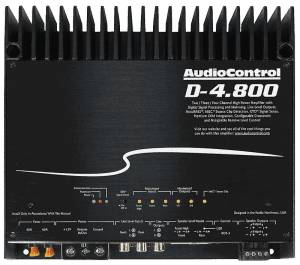 Let’s look at how we handle the tuning in the vehicle. You’ll need an amplifier with a built-in DSP. There are lots of compact solutions available from companies like JL Audio, Mosconi, Helix, Audison, AudioControl, Sony, Alpine and Kicker. A suitable
  Take a deep breath. Talking about spending thousands of dollars on a speaker upgrade might scare a lot of people. The question is, are the upgrades worthwhile? When executed by a properly trained technician, the answer is unquestionably yes! Not only will new speakers play louder, they produce less distortion to make your music clearer and more detailed. The signal processor can be used to fine-tune the system to provide the overall sound balance you want. Most people enjoy smooth and natural midrange with some accentuation in the midbass region and a little more in the bass region. Your technician can
  In 1982, Michael Knight was able to talk to his 1982 Pontiac Firebird and ask it for navigation directions. Of course, watching “Knight Rider” meant that we understood that KITT was make-believe. Fast-forward 35 years, and talking to our vehicles is now a reality, thanks to our
 Long before we had to worry about looking at maps on our phones, we had to deal with the issue of people talking on their phones while driving. Distracted driving is a serious issue and is the cause of many accidents and fatalities. In 2013, more than 3,000 people were killed because of distracted driving. In 2015, more than 391,000 injuries were caused by driver distraction.
 We started talking about asking our phones for directions. Portable
  Unlike the voice recognition system built into portable navigation devices that listened for specific phrases or requests, Apple’s Siri and Google’s Voice Assistant can interpret common language communication to perform commands or execute requests. “Navigate to” has been replaced with “find me a,” “take me to” or “get directions to” whatever address or location you want. These systems capture what you say, analyze the content on their servers, then send the required commands back to the phone.
 Apple CarPlay and Android
  Automakers are working to allow our vehicles to talk to each other in order to reduce traffic congestion and the chance of accidents. For this to happen, your car or truck needs to know where all the vehicles around it are located and where they are going. The hardware exists today to make this happen, but the communication networks aren’t fast enough to implement the system.
 Not too long ago, we saw a discussion about an article called “The 12 Best Tweeters (Reviews & Ultimate Buying Guide 2018).” Being curious, we decided to check the article out to see what criteria they used to choose the products and how they tested them. Much to our dismay, there were no criteria, nor was there any testing or a simple performance review. So, what was going on? Read on and we’ll explain why you should be wary of Top 10 lists.
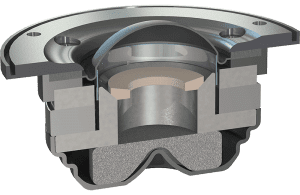 In a formal product review, the goal is to explain the features and benefits of a product. In the case of a tweeter, a review would include a detailed explanation of the product design, an explanation of the materials used to build the device, lab-based measurements of the output and a listening test. Of course, a summary of the key benefits and drawbacks of the design would give readers the opportunity to decide for themselves, based on their application and budget, if that product was suitable for their application.
 The formal definition of clickbait is content or a title that encourages visitors to click on a link to a particular page or video. A few examples would be “How to get free beer” or “You won’t believe how great these speakers sound.”
 Now that you know what should be in a product review, or in this case, a product comparison, and clearly, that hasn’t been provided, why did they go to all the trouble of making the website and the article? The answer is to make money. You see, each product includes a link to “check the latest price on Amazon.” If you hover your mouse over the link, you’ll see that the website name is included as a tag in the link. This is called an associate link. If you follow the link and purchase the product, the website that provided the link gets a kickback from Amazon. Depending on the category, the kickback can be anywhere from 1 percent to 10 percent of the selling price. In terms of the website making money, it’s well worth the effort.
 When it comes to helping you choose the best possible products for your
  As we move toward the end of our discussion of car audio electrical theory, we need to talk about capacitance and inductance and how the characteristics of those phenomena interact with AC and DC signals. There’s no doubt that these are advanced concepts, but even a basic understanding of how capacitors and inductors work is fundamental to a thorough understanding of
 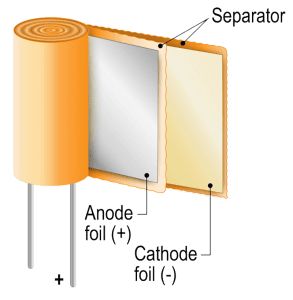 A capacitor is a two-terminal electronic component that stores energy. Capacitors are made of two metallic plates that are separated by an electrical insulator. When we apply a voltage to one terminal of the capacitor, the electrons on one plate will impose a force on the opposite plate to create an opposite charge. The result is that the plates have equal and opposite charges and thus, maintain an electric field. Because the plates in a capacitor are very close together, they can store a large amount of energy for their overall size.
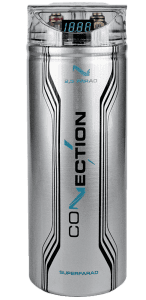 Capacitors are, at their most basic function, a device that stores a microscopic magnetic field between its plates. When we apply a DC voltage to a discharged capacitor, it appears as a short circuit for an instant as the magnetic and electric fields start to form between its plates. As the capacitor starts to store energy, it increases in effective resistance, and the amount of current flowing through the device is reduced. Once the capacitor has equalized with the supply voltage, almost no current passes through the device.
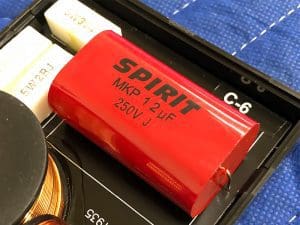 In alternating current circuits, capacitors take on an interesting phenomenon of “virtual resistance.” As we know, capacitors don’t like to change voltage, yet an AC signal is one that is defined as ever-changing. Depending on the relationship between the capacitor value and the frequency of the AC signal, some amount of the current is allowed to pass through the cap.
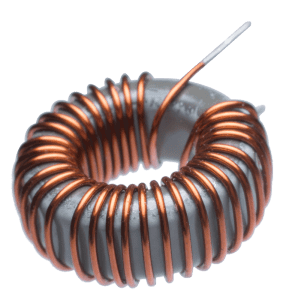 In the simplest of terms, an inductor is a coil of wire that creates a magnetic field based on the amount of current flowing through it. Many inductors feature iron cores to increase the intensity of the magnetic field. Where a capacitor resists changes in voltage, an inductor resists changes in current flow. We know from our previous article on magnetism that current flowing through a conductor creates a magnetic field around that conductor. If we wrap the conductor in a loop, the proximity of the loops to one another intensifies the magnetic field.
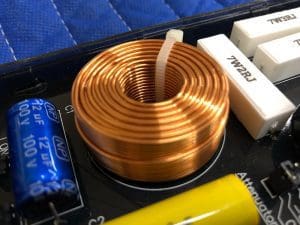 In most applications, we don’t want inductors in a 12V DC circuit because they resist changes in current flow. For a variable load such as an amplifier, a large amount of inductance in the supply wiring would result in an unstable supply voltage as the current requirements change.