Auto Acoustics

Car Stereo and Window Tint

(919) 493-5473 Celebrating 35 Years!
  • Home
  • Services
    • ATV/UTV Upgrades
    • Car Audio
    • Driver Safety
    • Jeep Accessories
    • Marine Audio and Lighting
    • Motorcycle Audio
    • Remote Starters
    • Truck Accessories
    • Window Tint
  • About Us
  • Location
  • Customer Reviews
  • Contact Us
  • Work For Us
  • Facebook
  • Instagram

The Importance of Professional Dashcam Installation

Dashcam Installation

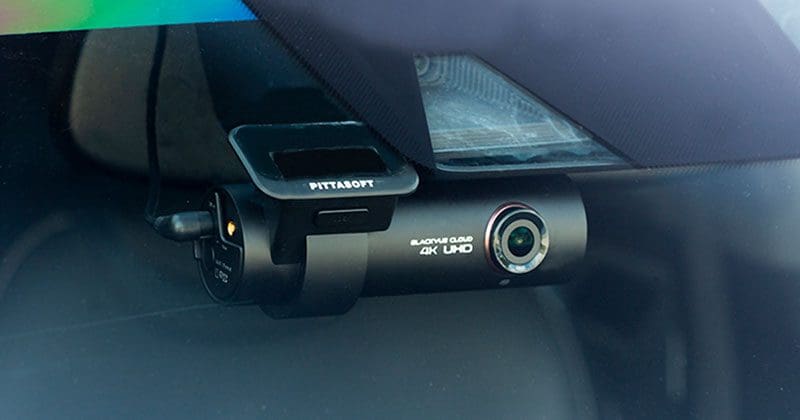
When it comes to dashcams, getting the right dashcam and having professional installation are key to creating a system that functions reliably and remains safe. Dashcams come in a variety of configurations with many options so that you can capture video of the events in front of and behind your vehicle. Proper installation not only ensures that the camera turns on when it’s supposed to but remains on in the event of an accident — without adding wire clutter to your vehicle interior. Let’s look at why professional installation is a wise choice.

Dashcam Power Options: 12V Charging Port

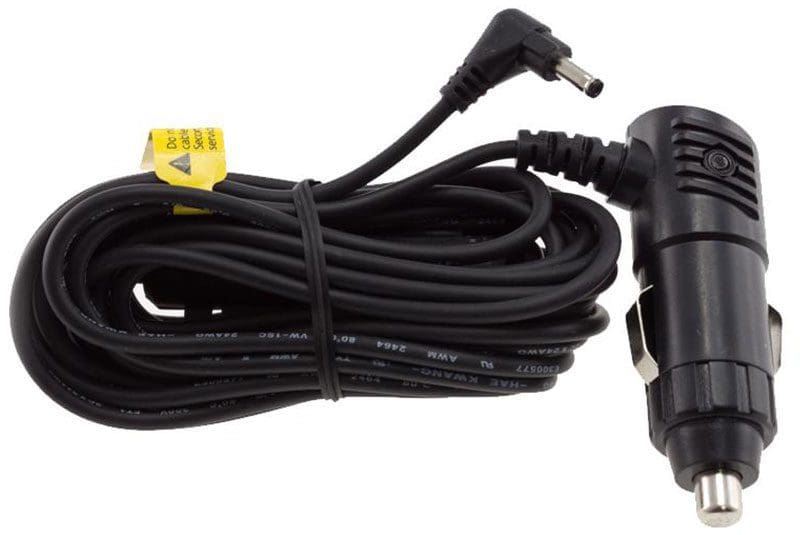
Dashcam InstallationYour dashcam system will be powered in one of two ways. Some cameras come with a power harness that has an integrated plug that connects to a 12V charging port (formerly known as the cigarette lighter socket). While it’s obvious how this type of power connection is made, running the wiring neatly is an issue. You’ve also used up your charging port. If you need to connect a smartphone charger or a portable navigation device, you may be out of luck. A professional installation technician can add a hidden power outlet or upgrade your system with a hard-wire harness to make sure things are neat and tidy.

Dashcam Power Options: Hard-Wired Connections

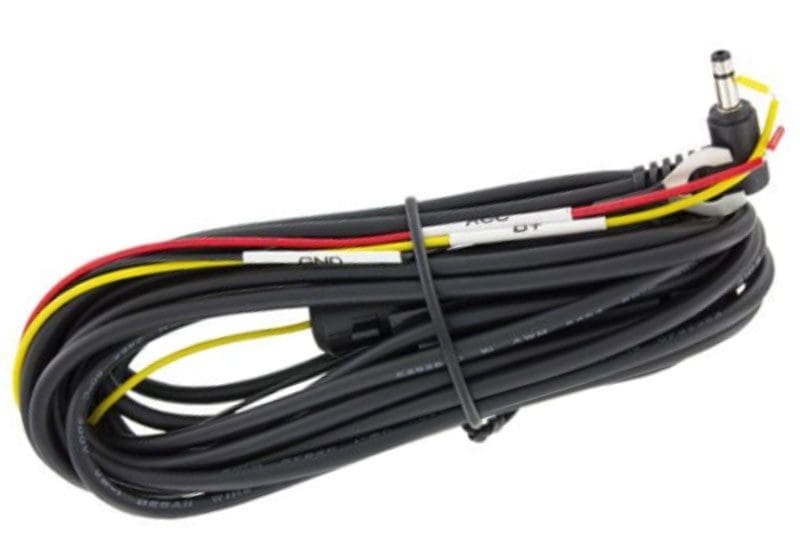
Dashcam InstallationThe second charging option for dashcams are those systems that include a power plug with two or three bare wires at the end. To ensure that your camera operates reliably, these power wires need to connect to the proper wiring in your vehicle. Knowing which wires to use so that the camera functions reliably can be tricky. With modern computer-controlled data networks used in many vehicles, you can easily damage control modules if you guess incorrectly or use improper test equipment to probe wires or terminals. Hard wiring a dashcam isn’t a task we’d recommend for someone without proper training.

Concealed Wiring

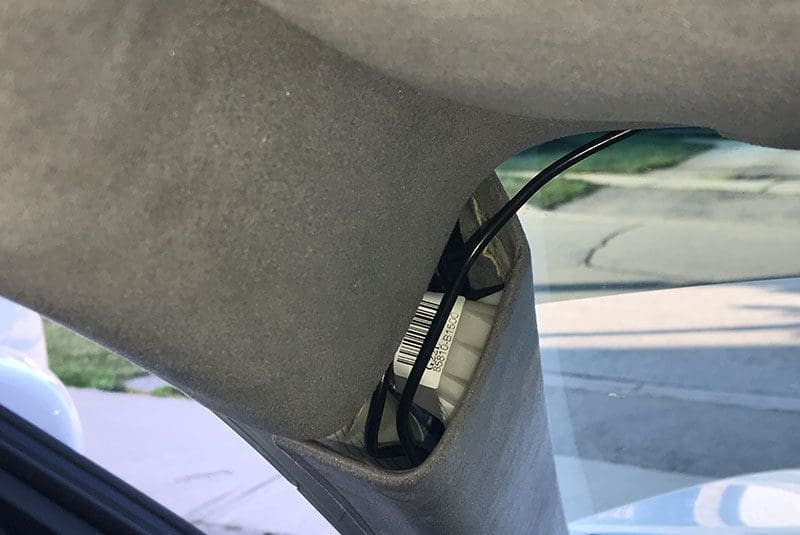
The first and easily the most important benefit of having a professional install your dashcam is the confidence you have in their making the right connections. The second benefit is that all the wiring will be routed safely through the vehicle in a way that won’t interfere with safety systems like airbags in the dash or A-pillars. Knowing how to remove the associated trim panels to conceal wiring takes experience, something a specialist mobile enhancement retailer can offer.

Dashcam Installation
All wiring must be routed safely around airbags. The dashcam system and remote car starter antenna in this vehicle could easily be ripped off of the windshield if the airbag inflates.

Wiring Reserve Power Sources

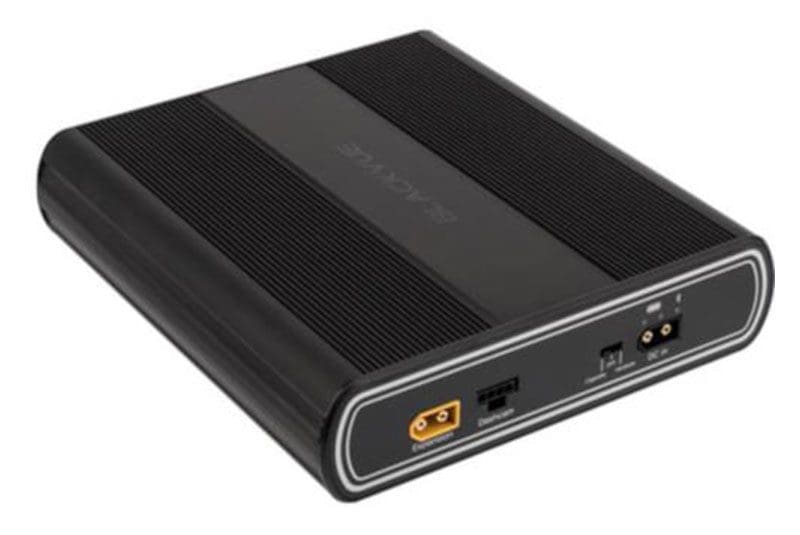
Dashcam InstallationMany people who purchase dashcams add a battery pack or power management system so that they can use the parking mode feature of their camera system without fear of draining their vehicle’s battery and leaving them stranded. The first installation consideration for these modules is that they are mounted securely. The last thing you want is a 4-pound metal box flying around the interior of your vehicle if you’re in a serious accident. Second, the unit needs to be wired correctly to ensure that enough current can be provided so that it can charge again once you start the car. Some larger battery packs draw significantly more current than a standard 12V accessory plug can supply.

Dashcam Setup and Alignment

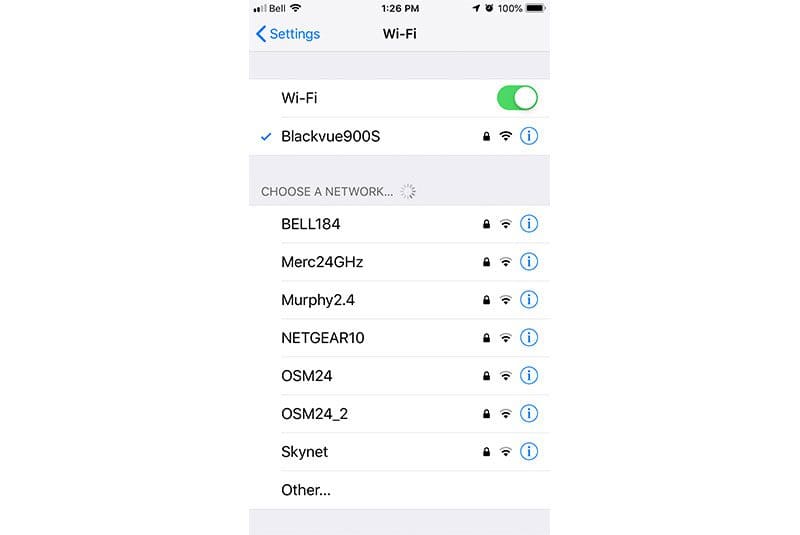
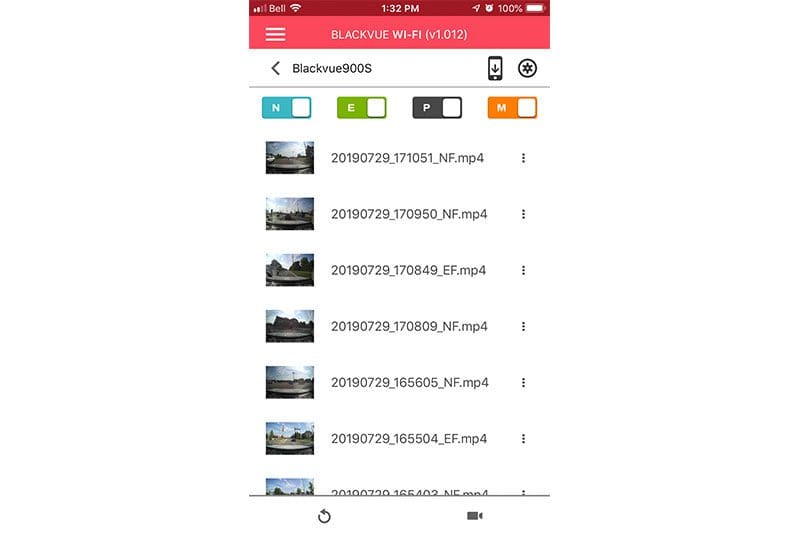
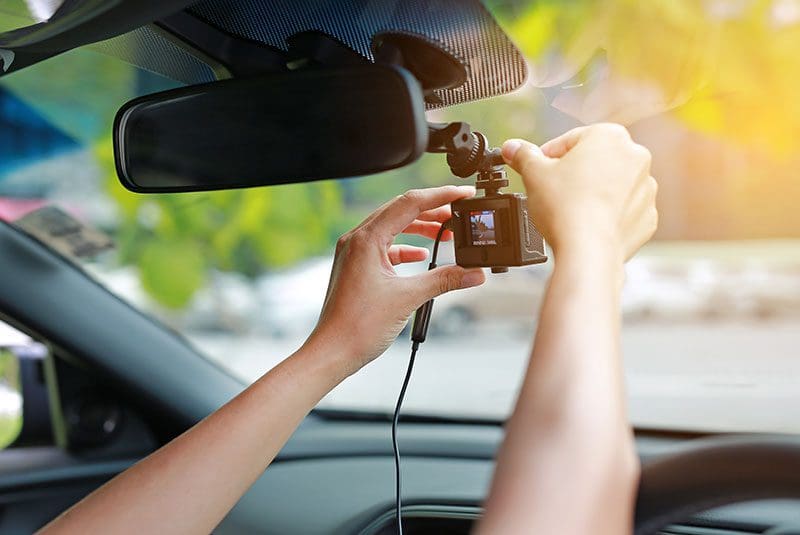
Dashcam InstallationIf you have chosen a dashcam with an integrated display, ensuring that the camera is aligned perfectly is pretty easy. If your camera has Wi-Fi connectivity, chances are that the manufacturer also has a smartphone app that will let you view the camera image. No screen and no Wi-Fi? No worries: Your installation technician can check a sample of the video footage on a computer to make sure everything is aligned correctly. Settings for the shock and motion sensors, time zone, daylight saving time and smartphone connectivity should also be set by the technician.

Some camera systems have specific requirements to format the SD or micro SD memory card they use to store video. Having your dashcam installed by a professional means that you don’t have to worry about this procedure. Your car, truck or SUV will leave the shop with the system working perfectly.

Choose the Right Retailer To Install Your Dashcam System

As with any aftermarket accessories, buying quality products and having them installed and configured properly is more important than getting the best price. When you are shopping for a camera system, be sure to ask about what the business offers in terms of installation services. You want both the dashcam and the professional installation to be reliable. Drop by your local specialist mobile enhancement retailer today to find out how a dashcam system can protect you from fraud and false accusations or capture the next “I can’t believe that just happened” moment on your drive to work.

This article is written and produced by the team at www.BestCarAudio.com. Reproduction or use of any kind is prohibited without the express written permission of 1sixty8 media.
Filed Under: ARTICLES, Driver Safety, RESOURCE LIBRARY

Why Dashcam Resolution Matters

Dashcam Resolution

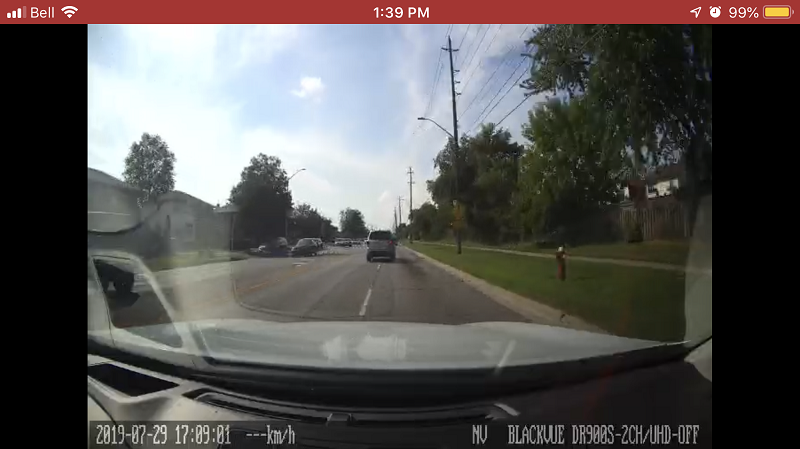
One of the key specifications you should look at when buying a dashcam is its resolution specification. Resolution refers to the number of pixels that the video camera records. This specification directly translates to how much usable detail the system offers. If you witness dangerous driving or an accident, being able to provide accurate information about the parties involved is crucial. In this article, we’ll compare images from dashcams from AccFly and Mio and the flagship product from BlackVue.

What Is Field of Vision?

In talking to consumers, it appears that some people get confused by the difference between the camera’s field of vision and its image resolution. Field of vision describes what the camera sees and is specified as an angle from the center of the lens. With a higher field of vision specification (also called viewing angle), the camera can see farther to the sides of the vehicle. Here are a few examples.

Dashcam Resolution
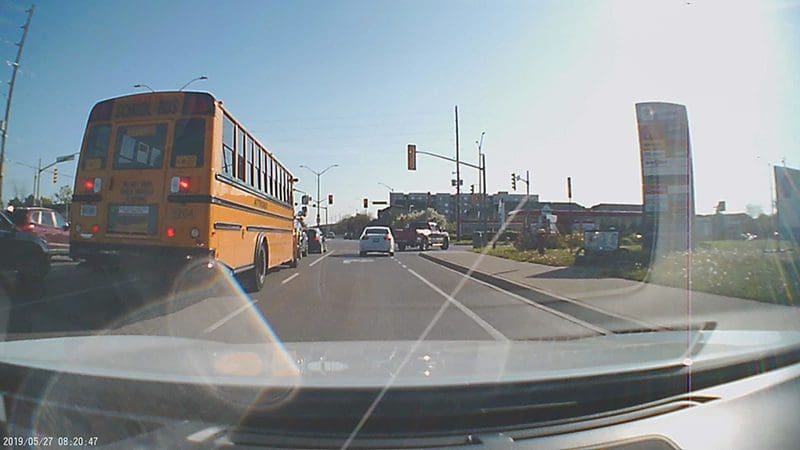
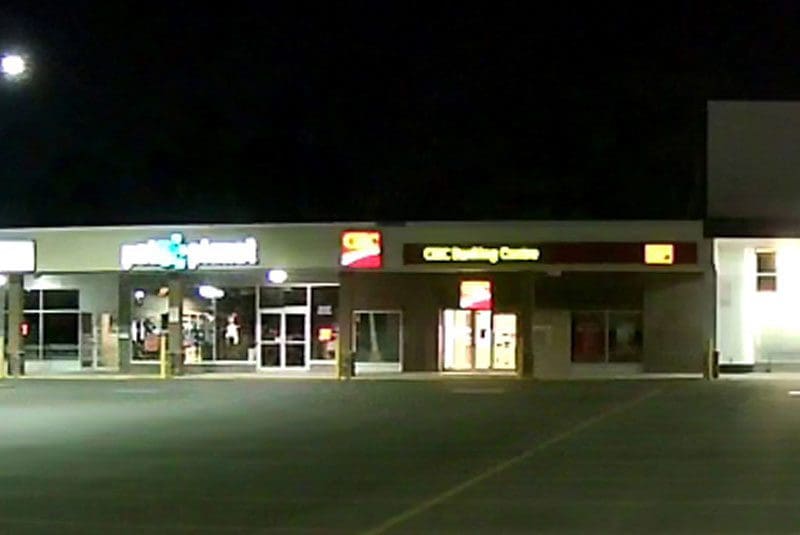
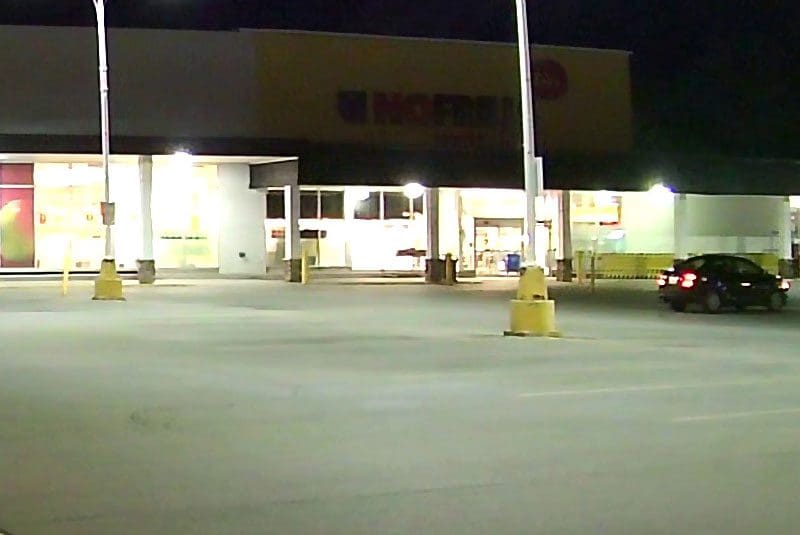
This inexpensive camera has a field of vision specified as 120 degrees. You can see the first third of the car door on the left side of the screen and half of the sign on the right. Note the presence of the lens flare in the lower left corner of the image and the poor contrast of the text on the main shopping plaza on the right.


Dashcam Resolution
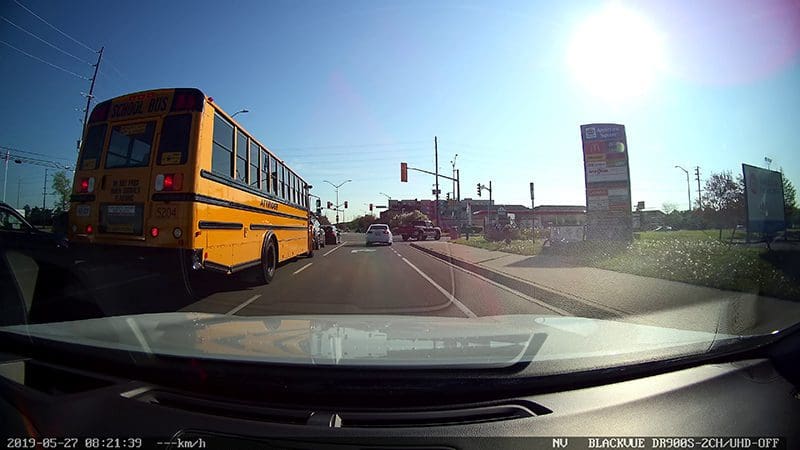
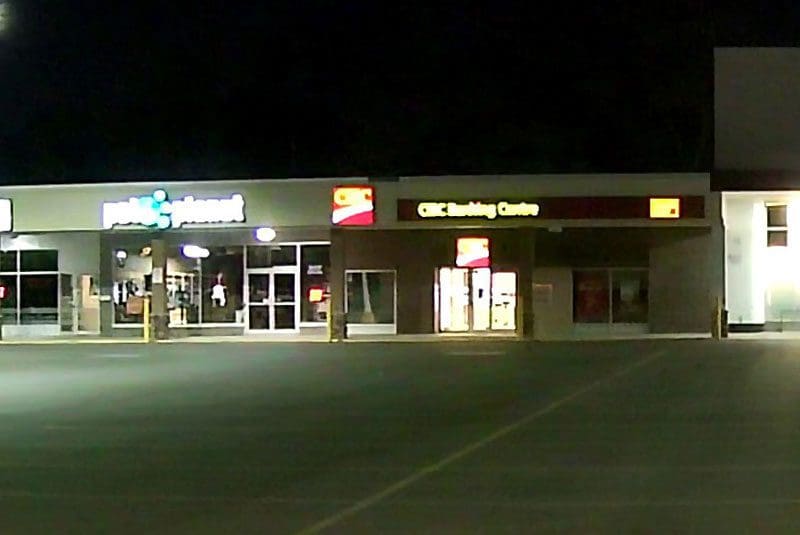
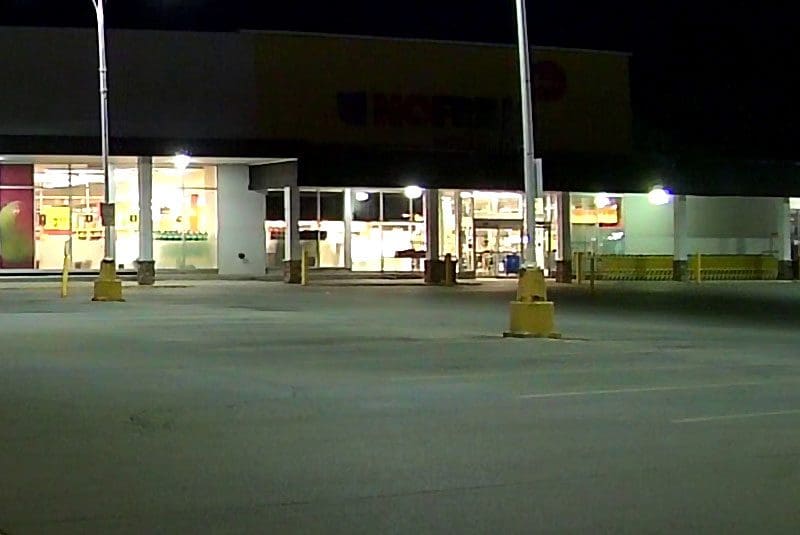
The DR900S-2Ch has a field of vision of 136 degrees. You can see most of the car door on the left and all of the sign on the right. Almost the entire dash of the car is in the image. Impressive! High-quality optics prevent light reflections within the camera and prevent lens flare. Advanced exposure compensation makes the sign information much clearer.

What Is Dashcam Resolution?

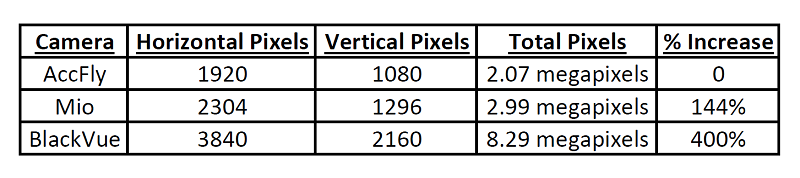
Resolution refers to the number of pixels contained in an image. More pixels mean that more detail and information can be captured. You can never have too much resolution.

Dashcam Resolution

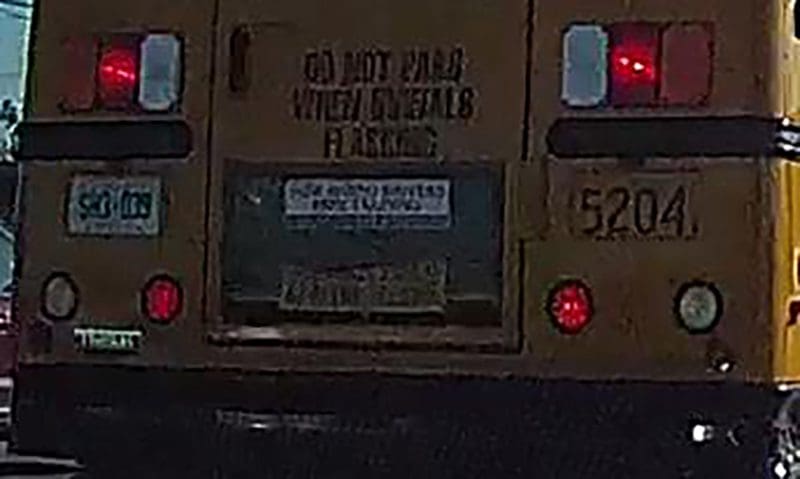
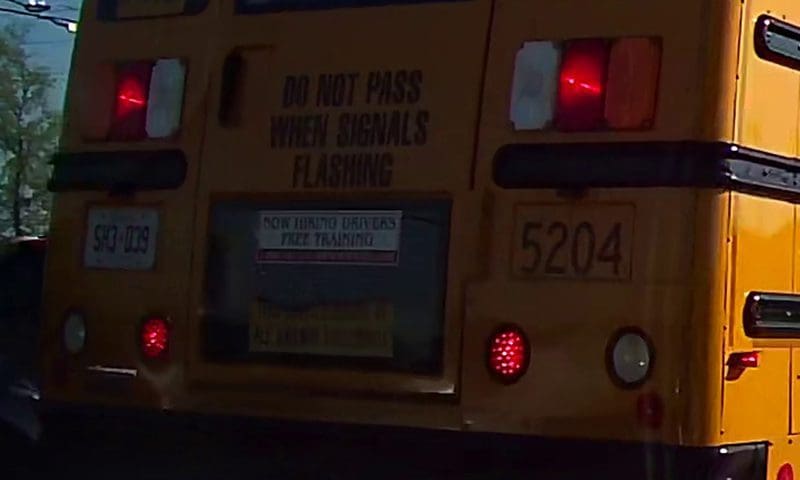
In our comparison, we’ll look at our three cameras and compare cropped images of the back of the school bus to the left of the master image.

Dashcam Resolution
The writing on the back of the bus is illegible. You can only just make out the last two numbers of the bus number and the license plate is completely blurred.


Dashcam Resolution
Stepping up to the 1296p resolution of the Mio makes the bus number legible. You can almost make out the license plate number.


Dashcam Resolution
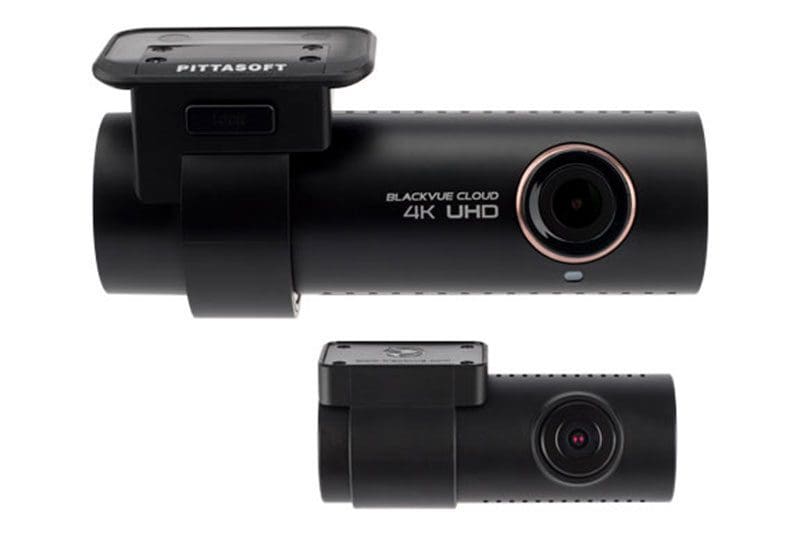
The 2160p resolution of the BlackVue DR900S-2CH makes reading the writing on the back of the bus very easy. Not only can you read the bus number and license plate, but the writing on the door is also legible.

Dashcams Are a Great Safety Investment

The motivation for this article came from a friend who was in a sideswipe accident. The car that hit him kept on driving. Although his dashcam recorded that it was a blue Honda sedan, he couldn’t read the license plate, and the police were never able to find the owner.

If you are shopping for a dashcam, choose one with great optics and a high-resolution image sensor. You only get one chance to record details like a license plate. Drop by your local specialist mobile enhancement retailer to find out what is available for your vehicle.

This article is written and produced by the team at www.BestCarAudio.com. Reproduction or use of any kind is prohibited without the express written permission of 1sixty8 media.
Filed Under: ARTICLES, Driver Safety, RESOURCE LIBRARY

Automotive Dashcam Features Explained

Dashcam Features

A dashcam is a compact camera system designed with automotive-specific features to capture video of everything that happens in front of your car or truck. The video files from a dashcam can protect you from fraud or false accusations in the event of an accident. Let’s take a look at some of the most popular options available to enhance the information captured by these amazing safety systems.

Dual Camera Systems

Dashcam FeaturesMany dashcam solutions are available with a secondary camera that can be positioned to monitor the interior of the vehicle or the traffic behind your car or truck. These systems record from both cameras simultaneously to give you a complete record of everything happening. Uber, Lyft and taxi drivers are particularly fond of these dual camera systems to record the behavior of their customers.

Built-In LCD Screen

Dashcam FeaturesTwo types of dashcams are commonly available: Those with and without an LCD screen. In most products, the addition of a feature like a screen is perceived as an upgrade, but with dashcams, this isn’t always the case.

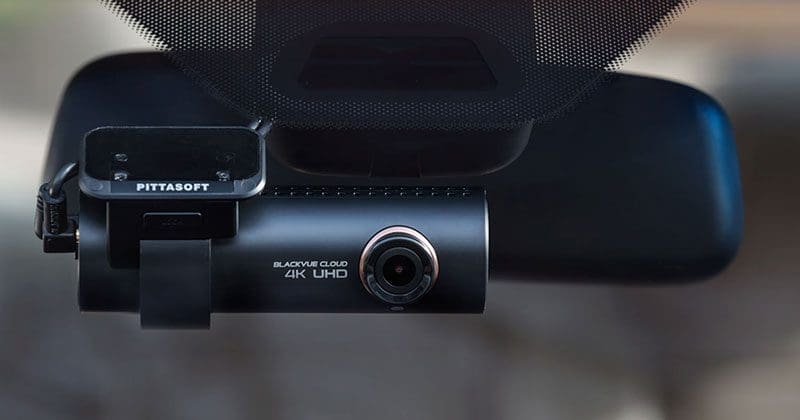
Dashcam systems without displays are often physically smaller, allowing your installer to mount the camera under your rearview mirror for a nearly invisible installation. These dashcams typically include a series of LEDs to indicate when they are powered up and are recording. The drawback to these designs is that you need a smartphone or computer to view videos stored by the system. You will also need to make system configuration adjustments using a phone or computer, so the installation time is longer.

Cameras with integrated displays are often physically larger than those without a screen. Depending on the design of the camera, color displays measure from 1.5 to 3.5 inches diagonally. In addition to letting you look at videos directly on the system, cameras with displays typically have easy-to-understand setup menus right on the unit. Many higher-end cameras include a touchscreen to make adjusting the system even easier.

Integrated GPS Antenna

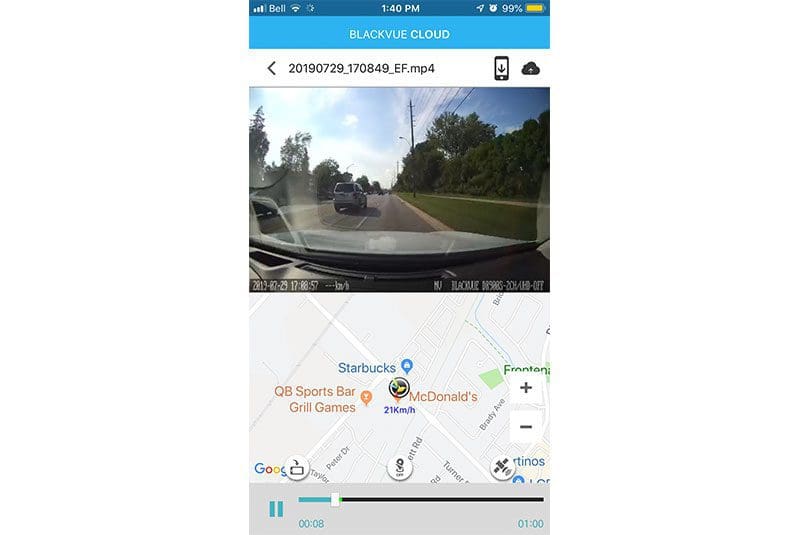
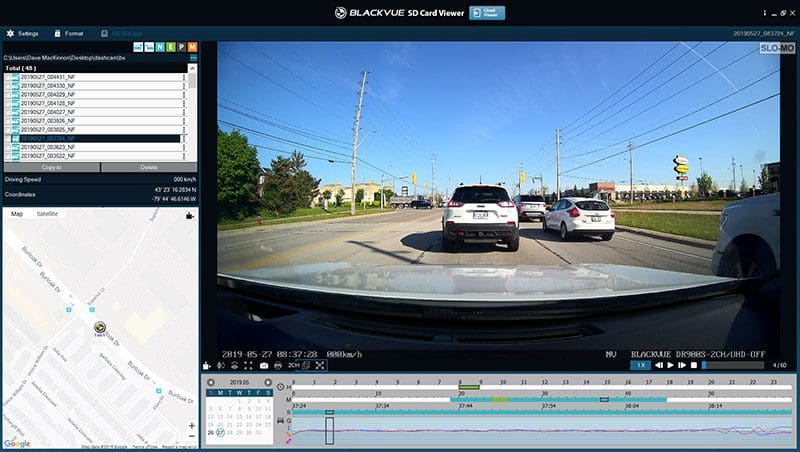
Another popular dashcam feature is a built-in GPS antenna. The software in the camera will use the information transmitted by the GPS receiver to store vehicle speed and location along with the video information. Most quality dashcam manufacturers offer PC and Apple playback software that will show your location and speed along with the video recording.

Dashcam Features

Integrated Accelerometer

Another great feature to look for is a camera with an integrated accelerometer. These cameras store information about G-forces in all three axes along with the video. Your installer can typically configure the camera to automatically store video files if the camera detects a sudden jolt that might have been caused by an accident.

Parking Mode

Dashcam FeaturesMany solutions offer what is called parking mode. In most cases, when your installer has wired the camera to a constant power source (one that is active even when the ignition is turned off), the camera will stop saving video to the memory card. If the camera detects changes in the video image (from someone or something entering the field of vision) or motion from the built-in accelerometer, the system will wake up and automatically store a video file. In most cases, the recording starts 5 to 10 seconds before the trigger so you can see what led up to the event.

An important note about parking mode: Please make 100% sure that your camera has a low-voltage shutdown feature to prevent the battery in your car or truck from being killed and leaving you stranded. If your camera doesn’t have this feature, several manufacturers make external battery packs and control modules that will reduce or eliminate the load on your vehicle battery. If you don’t drive your car or truck every day, an external battery pack or at least a power management controller is a very wise investment.

High-Resolution Cameras and HDR Mode

Most quality dash cameras have high-definition image sensors capable of storing 1920-by-1080-pixel video files. Compared with VGA or 720p recording, these high-res files allow you to see license plate information, phone numbers or other identifying marks on moving vehicles. Some of the newest cameras record at 4K (4096 by 2160) resolution for an increase in detail of 4.3 times over HD resolution. Yes, this higher resolution with fill up a memory card much more quickly, but the added detail is quite worthwhile. We suggest buying a camera with as much image resolution as possible for your budget.

Dashcam Features
Example of detail recorded in HD resolution setting.


Dashcam Features
Example of detail recorded in 4K resolution setting.

High Dynamic Range

Another popular feature is called high dynamic range. This is a video contrast compression technology that helps to make dark areas of the image brighter and bright areas darker to make everything in the video easier to see and understand during playback. Turning on HDR processing can help reveal more detail at night or in bright sunlight situations.

Dashcam Features
Nighttime setting with high dynamic range setting turned off.


Dashcam Features
Nighttime setting with high dynamic range setting turned on.

Wi-Fi-Enabled Dashcam Feature

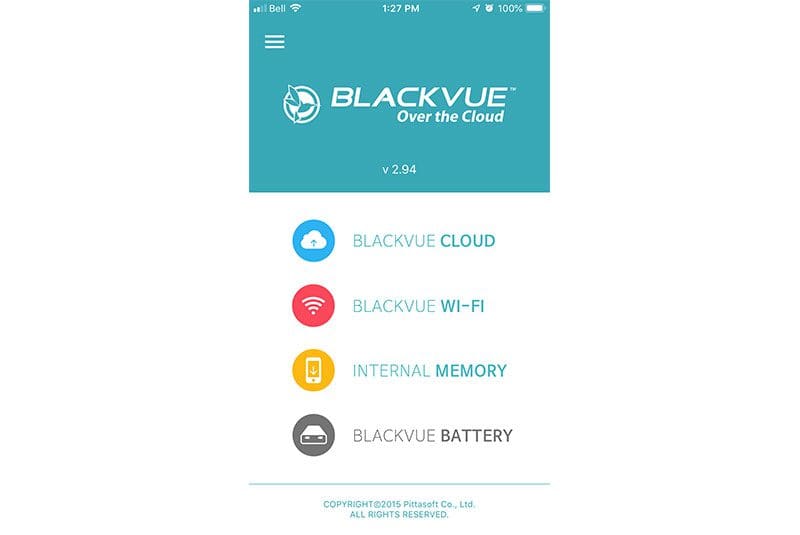
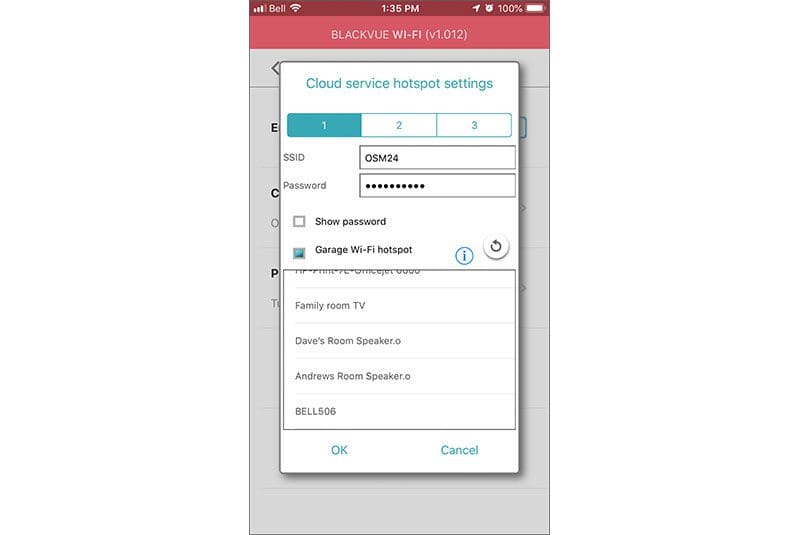
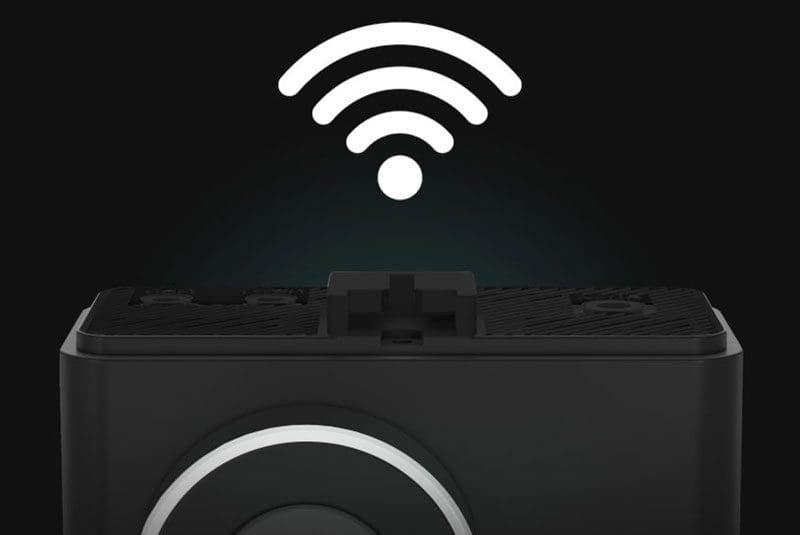
Dashcam FeaturesThe last feature we will talk about is Wi-Fi. Many premium cameras include an integrated Wi-Fi hotspot that allows you to connect your phone to see videos or make adjustments to the system. This is a particularly convenient feature on cameras that don’t have a touchscreen as it makes adjusting menu options quick and easy. Apps for iOS and Android-based smartphones are typically available for dashcams with Wi-Fi built in.

Some advanced dashcams include the option to automatically connect to an internet hotspot to upload video files to the cloud to make information access easy and efficient.

Protect Yourself with a Car Dashcam

If you are concerned about fraud from other drivers or pedestrians, or you want undeniable proof of who’s at fault in the event of an accident, then you owe it to yourself to invest in a quality dashcam. Drop by your local specialist mobile enhancement retailer today to find out more about the systems that are available and arrange for expert installation in your vehicle.

This article is written and produced by the team at www.BestCarAudio.com. Reproduction or use of any kind is prohibited without the express written permission of 1sixty8 media.
Filed Under: ARTICLES, Backup Safety, Driver Safety, RESOURCE LIBRARY

Product Spotlight: Momento M8 Max

Momento M8 Max

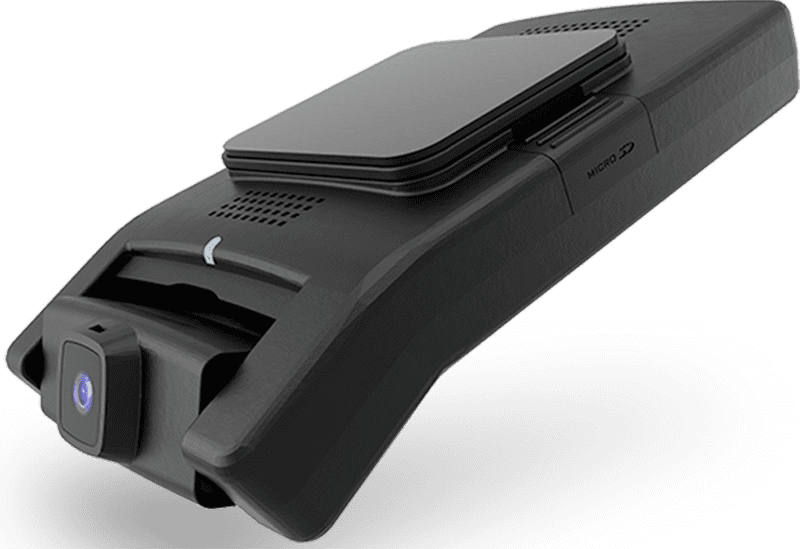
There are now hundreds of dash cameras on the market. If you are serious about protecting yourself from fraud and false accusations or simply want to capture those incredible once-in-a-lifetime moments, then you want a high-quality camera with excellent image quality. Momento’s latest flagship dash camera is called the M8 Max, and it’s the perfect choice for your car or truck. Let’s check it out!

Momento M8 Max Features

Let’s start by looking at the specifications of the new Momento M8 Max, which is also known as the MD-8400. This is the top-of-the-line in the three-model series. The M8 Max features a 4K Sony IMX image sensor for razor-sharp image capture at 30 frames per second. A secondary camera that can be pointed out the rear window features full HD (1920 x 1080 resolution) is also included in the kit. The system comes with a 64 GB memory card but can be upgraded to a 256 GB card for more storage. The M8 Max includes a GPS receiver to store vehicle location and speed.

The main power cable is also included in the box. This is a hard-wired cable, not a cigarette lighter plug. As such, your installer will need to find suitable constant 12-volt, switched accessory and ground connection points under the dash. A micro-SD to SD card adapter is also included.

Momento M8 Max
The camera on the Momento M8 Max can be adjusted to work with the slope of any windshield – from a Corvette to a transport truck.
Momento M8 Max
The M8 Max is ready for your installer to integrate into your vehicle to provide the ultimate protection against fraud and staged accidents.

Two- and Three-Camera Support Modes

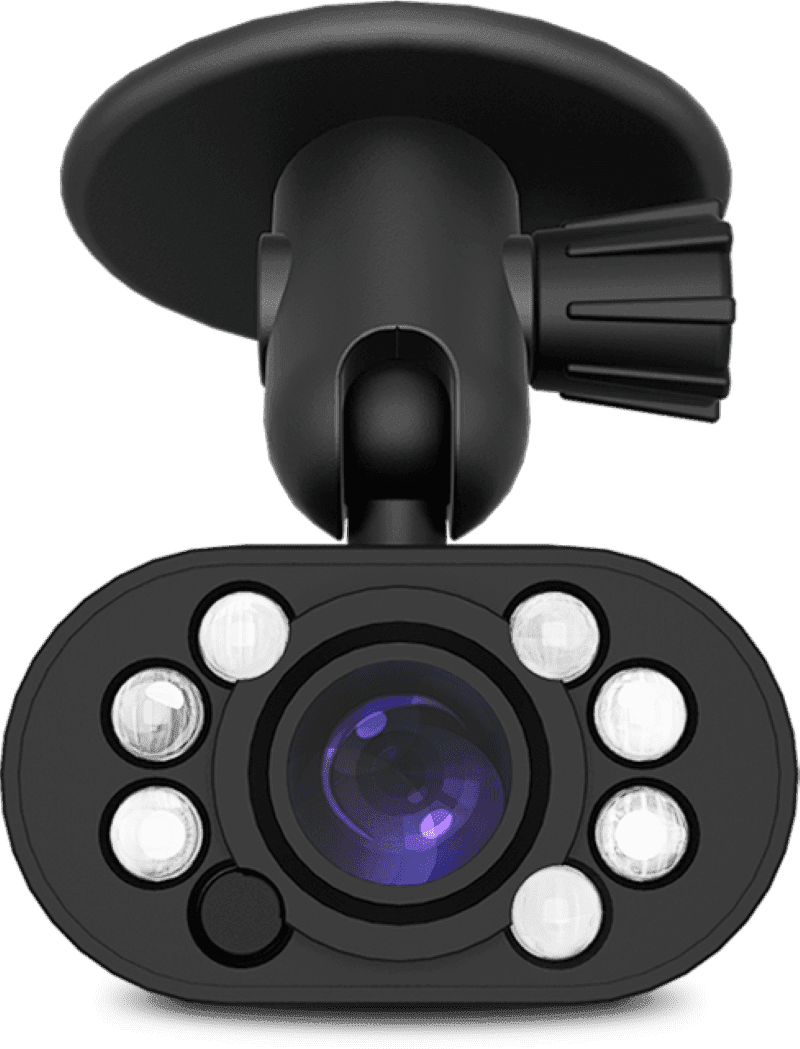
Out of the box, the M8 Max is set up to handle dual-camera recording. However, if you want to add a third camera, like the IC6 interior camera, the M8 Max can be flashed with firmware to record from three sources simultaneously. The IC6 is ideal for taxis, limousines, buses, rideshare and company-owned vehicles. When flashed into three-camera mode, the system captures video from the front camera in 2K mode due to data storage bandwidth constraints.

Momento M8 Max
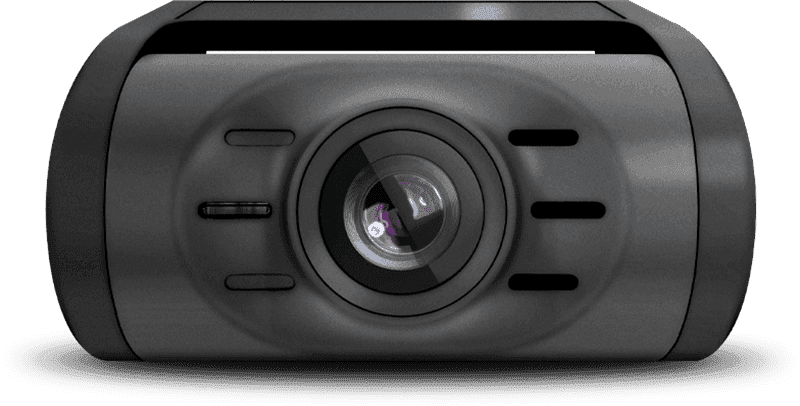
The M8 Max kit includes a full-HD resolution rear camera to capture what happens behind your vehicle.
Momento M8 Max
The IC6 Infrared interior camera is a perfect upgrade for taxi, Uber or Lyft operators to monitor occupant activity.

ECO Parking Mode

An essential feature of the M8 Max is its ECO parking mode. Unlike conventional cameras that use the image sensor to monitor the area in front of the vehicle, the M8 Max uses a low-power radar transceiver. If someone walks in front of your car or truck while the camera is in parking mode, the system will wake up and capture a video of the activity. Once the object has passed, it goes back into ECO Mode. The benefit of radar-based monitoring is that the camera consumes about 90% less power than video monitoring units. This means less drain on your vehicle battery and days of monitoring instead of hours.

Voice Recognition

The M8 Max includes voice recognition features. You can say “Hi, Momento,” then wait for the chime and say “Save Video.” The system will start a manual recording that is saved to a dedicated folder on the micro-SD card. Other voice commands include Enable and Disable Mic, Enable and Disable Wi-Fi, Switch Wi-Fi (between 2.4 GHz and 5 GHz modes), and Enable and Disable Privacy mode.

Compact, Flexible Design with Manual Controls

The Momento M8 Maxi-fi is one of the lowest-profile dash cameras on the market. It attaches to your windshield with the included 3M VHB tape behind the rearview mirror. Once in place, the camera tilts upwards or down to ensure perfect coverage in front of the vehicle. The viewing angle is 112 degrees on the horizontal plane and 96 degrees vertically.

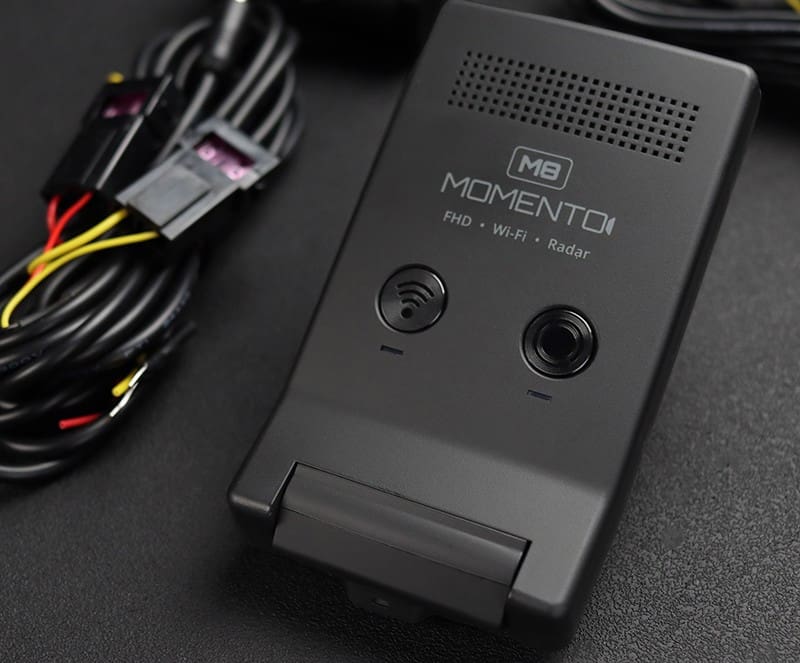
There are two buttons on the face of the Momento M8 Max, making it very intuitive to use. Pressing the left Wi-Fi button toggles Wi-Fi on and off. Pressing the right REC (Record) button initiates a manual recording in the event you witness something. Holding the REC button for three seconds turns off the mic. Holding the Wi-Fi button for 10 seconds will format the memory card.

The Momento Smartphone App

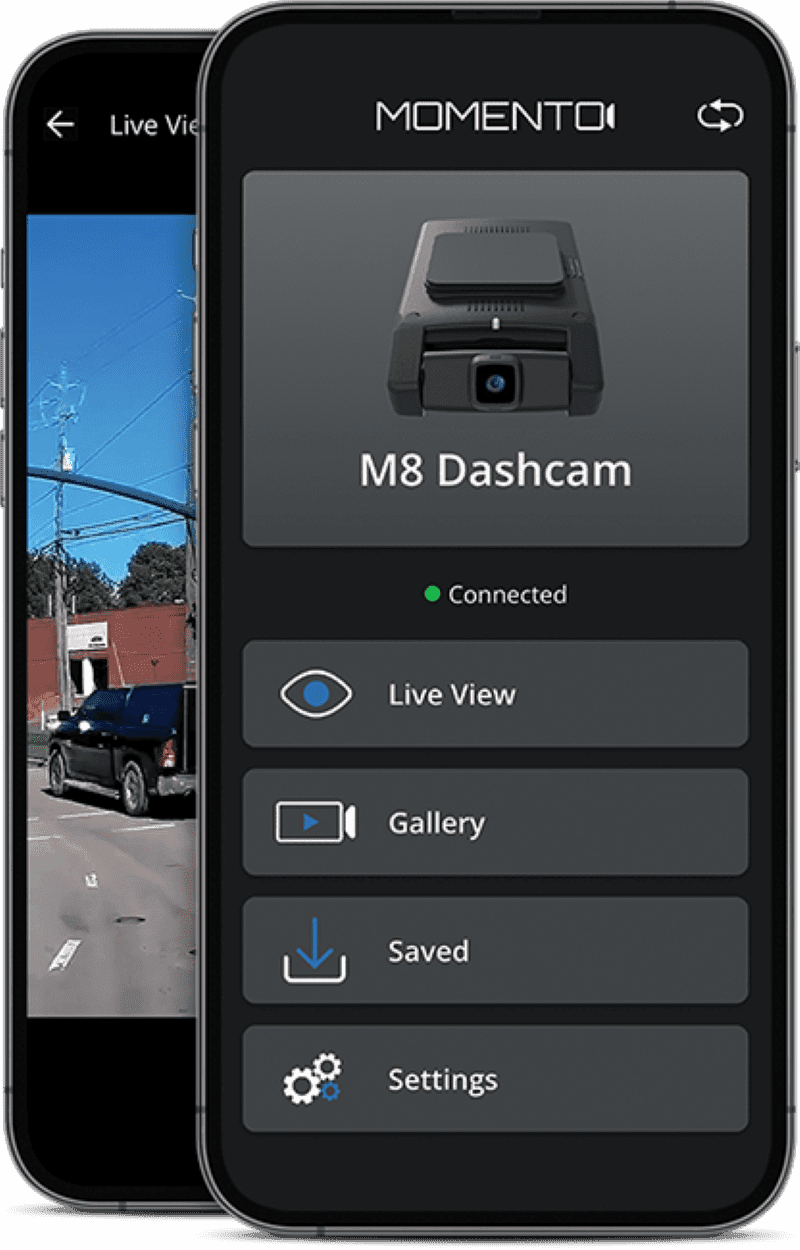
All three Momento M8 dashcams are compatible with the free Momento App for Android and iOS devices. Once you have connected your smart device to the M8 Max using 2.4 or 5 GHz Wi-Fi, the app lets you view the live video feed from the camera. This is how your installer will initially set up the camera.

The app lets you view and download stored files from any of the five galleries: Driving, Driving Events, Parking, Parking Events and Manual. You can preview the video at 600p resolution or download the full-resolution version and save it with your files or images for sharing.

The app provides access to many configuration options. These options include sensitivity adjustments for the integrated accelerometer to determine when event videos will be recorded. You can also set the automatic low-battery cut-off voltage or allocate different storage space for driving and parking videos. You can also change vehicle speed units between MPH and KM/H, depending on whether or not the camera uses radar parking mode, camera exposure, and the optional Travelapse mode. In Travelapse, the camera records at one frame per second to compress a long trip into a short video. If the accelerometer detects an impact, the system will store a 30-frame-per-second video starting seven seconds before the event trigger. The app also allows you to initiate a firmware update if and when it is introduced.

Momento M8 Max
The Momento App provides access to stored videos and system configuration settings.

The Ultimate Driving Protection Solution

If you want a premium dash camera with excellent image quality and class-leading features, visit a local authorized retailer and ask for a demonstration of the Momento M8 Max. They can complete the installation to ensure your camera will work reliably to capture everything that happens while you’re driving.

For more information on Momento safety products, visit their website. You should also follow them on Facebook and Instagram. Finally, their YouTube channel has videos about all of their products.

This article is written and produced by the team at www.BestCarAudio.com. Reproduction or use of any kind is prohibited without the express written permission of 1sixty8 media.
Filed Under: ARTICLES, Driver Safety, PRODUCTS, RESOURCE LIBRARY Tagged With: Momento

Safer Driving With Dash Camera Systems

Dash CameraHave you ever been driving along and witnessed something that you wish you could have captured on video? It could be a car accident, strange or reckless driving behavior or just something interesting you want to share on social media. We most certainly can’t drive around with our smartphones in our hand, and when something worth recording does happen, we’ve usually missed the opportunity to capture the moment. A dashcam system is the solution. Read on to learn everything you ever wanted to know about dash cameras and how they work.

What is a Dashcam?

A dashcam is a compact audio and video recording system that is designed to mount to your windshield. The camera faces forward and includes a wide-angle lens that will capture almost everything that happens in front of the vehicle. Most cameras on the market include a built-in microphone, so you get the entire play-by-play of the event as it occurs.

Basic Dash Camera Features

Dash CameraDash camera systems are typically wired into the ignition circuit of your vehicle and begin recording as soon as you start your car or truck. There is no need to remember to press a button. Most camera systems include an integrated accelerometer that records forces in all three axes along with the video. This information can be used to show acceleration and braking and cornering forces, as well as to detect impacts in the event of an accident.

The better camera systems on the market use an SD or micro SD card to store video information. These digital storage formats are compact and reasonably reliable. The small cards can be removed and connected to a computer in your home or office to view videos.

How Dash Camera Video Recording Works

Dash CameraAs mentioned, most cameras start recording as soon as the vehicle ignition is turned on. Options in the setup menu allow the installer to configure the length, frame rate and the resolution of the video. Typical video lengths are one, three and five minutes. These short lengths make it easy to pick out certain events while ignoring long periods of uneventful driving.

Normal videos are stored on the memory card in a specific folder called Videos or something similar. Once the folder fills up, the oldest video is deleted to make room for a new one. The number of videos stored on the card depends on the resolution and, subsequently, the size of the video files in relation to the total storage space available on the storage device.

Most systems have a secondary folder with a name like Event. The videos stored in this folder have been flagged for safekeeping. A threshold for the onboard accelerometer can be set to trigger an event recording. Sudden deceleration caused by slamming on the brakes or hitting an object are typical trigger events. Most systems also include a manual trigger button that will let you save a file to the Event folder.

Going Back in Time

We mentioned at the begging of this article that a dashcam is a great tool to record an event that has already taken place. While that sounds a bit like time-travel, it’s quite simple in operation. Allow us to explain.

Your dash camera is always recording and saving content to the memory card. In the event of an automatic or manual trigger, the dashcam saves five to 10 seconds’ worth of information from before the trigger and 30 to 60 seconds of video after to the file in the Event folder. You can witness a car accident, come to a full and safe stop, then press the trigger button to store the entire experience for later review.

Should My Dash Camera have a Screen?

Dash CameraThere are two basic styles of dash cameras: with and without a display screen. The inclusion of a screen makes it much easier to install and aim the camera properly. Having a screen also allows you to play videos back right on the camera unit. The tradeoff is, of course, the size of the camera system. Including a screen will make the camera larger. Choosing a camera with or without a built-in screen depends on your application and personal preference.

Dash Camera Options and Accessories

Many dash camera systems include or have a provision for an optional GPS receiver. When equipped with GPS, the longitude, latitude and speed of the vehicle are stored along with the video files and accelerometer information. Many video playback software packages (available as a download from the camera manufacturer’s website) overlay the vehicle location on Google Maps during playback.

Dash Camera

Another very popular option for dash camera systems is a second camera. This camera can be placed in the rear window to capture activity behind the vehicle, or placed inside the vehicle near the rearview mirror to record the interior of the vehicle. Taxi, Uber and Lyft drivers like the ability to record what’s going on inside the vehicle.

Another feature available in premium cameras is the inclusion of a Wi-Fi network hotspot. This network connection allows you to communicate with the camera system using your smartphone. Some interfaces allow you to download videos from the camera to your phone for sharing. Others include the ability to configure settings on the camera remotely. A few companies even include cloud-based image storage. When you arrive home, you can connect your dashcam to your home Wi-Fi to upload videos.

Parking Mode Recording

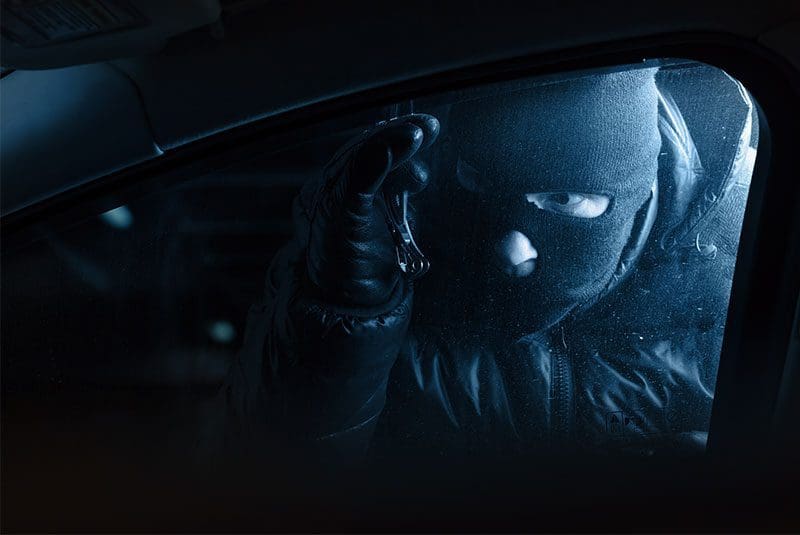
Dash CameraAnother popular camera option is called Parking Mode. When activated, the camera will operate even after the ignition is turned off. Parking Mode works in different ways for different cameras. Some record at a much lower framerate. Some monitor the image for changes (when a person approaches the vehicle, for example) and only start recording when a change is detected. Parking Mode is a great feature for people worried about someone breaking into or vandalizing their vehicle.

Battery management is an important consideration for dash camera systems that will continue to function after the ignition is turned off. The last thing you want is to have your camera run all night and drain your battery, making it impossible to start your vehicle the next morning. Some cameras have a built-in shutdown circuit that turns the camera off when the battery reaches a selectable voltage. A better solution is to add a dedicated battery for the camera system. A secondary unit reduces wear and tear on the main battery while providing excellent protection.

Let’s Talk About Image Quality

Dash CameraBeyond features, buying a dashcam is similar to buying any other video or still picture camera. The amount of information stored depends on the resolution of the camera system, the quality of the image sensor and the optics (lens quality) of the system. If you want a yes or no answer to who caused an accident, any recording system will work. If you are hoping to read a license plate or phone number from the side of a vehicle, you can never have too much resolution. It’s up to you to decide how much is right for your application.

In addition to resolution, consider image quality. Dash camera systems are hampered because the brightness and contrast required is always changing. The camera needs to function reliably when you are driving toward the sun or at night with only headlights lighting your way. The speed and accuracy with which the camera can adjust to these changes is an important factor in ensuring optimal image quality.

Finally, construction materials and quality are also a consideration. Does the lens assembly use inexpensive plastics that may distort when they get hot or turn yellow after prolonged exposure to the sun, or are the lenses made of glass? It can be very difficult to determine the quality of the internal components of a camera, so be sure to do your research.

Why You Need a Dash Camera

Dash CameraFinally, we should discuss just why it is a great idea to have a dash camera installed in your vehicle. There’s no doubt that a good public shaming on Facebook for someone who cut you off is great entertainment, but the need to protect yourself against fraud and false accusations is very real. You may have seen a news report of video of someone jumping on the hood of a vehicle stopped at red light and claiming the driver hit them. Believe it or not, this does happen. Another popular scam is for a driver to back their vehicle into a stopped car or truck while at a red light. The driver of the offending vehicle will claim that you drove into them. One of the latest scams involves drivers being flagged down by a person on the side of the road. The person will claim they are out of gas and offer supposedly expensive jewelry as collateral in exchange for some money to get gas. If you decide to stop, be sure to let the person know you have a dashcam recording everything, including their license plate.

Protect Yourself with a Dash Cam

Before you buy an inexpensive dashcam system online, drop by your local mobile enhancement retailer and ask about the features of the products they offer. More often than not, you will find much better performance and reliability from a premium product. You only get one chance to record an important event, so make sure you capture all the information you want or need.

This article is written and produced by the team at www.BestCarAudio.com. Reproduction or use of any kind is prohibited without the express written permission of 1sixty8 media.
Filed Under: ARTICLES, Driver Safety, RESOURCE LIBRARY

  • 1
  • 2
  • Next Page »

Recent Articles

A dashcam

The Importance of Professional Dashcam Installation

April 19, 2026 

When it comes to dashcams, getting the right dashcam and having professional installation are key to creating a system that functions reliably and remains safe. Dashcams come in a … [Read More...]

KICKER KMC5

Product Spotlight: KICKER KMC5

April 6, 2026 

Going back a few decades, only a handful of car audio manufacturers offered marine-specific source unit options. These were often car radios with oversized front panels with … [Read More...]

The inside of a vehicle with a veiw from the backseat and how to train your dragon animated version showing through the windshield

Rear Seat Entertainment Options for Your Next Vacation

April 5, 2026 

If you’ve ever been on a road trip with the kids, you’ve undoubtedly heard someone ask, “Are we there yet?” on more than one occasion. If a rousing game of Go Fish or playing the … [Read More...]

A dash camera

Why Dashcam Resolution Matters

March 22, 2026 

One of the key specifications you should look at when buying a dashcam is its resolution specification. Resolution refers to the number of pixels that the video camera records. … [Read More...]

A speedometer

Will Start-Stop Technology Affect Aftermarket Electronic Upgrades?

March 8, 2026 

Many new cars and trucks come with a feature called stop-start technology. This system senses when the car is stopped at a red light or stop sign and shuts down the engine to save … [Read More...]

Subscribe!

Enter your email address to subscribe to our website and receive notifications of new posts by email.

Join 30 other subscribers

Customer Reviews

Subscribe to Our Website

Enter your email address to subscribe to our website and receive notifications of new posts by email.

Durham Location


Get directions to Auto Acoustics

Services

  • Car Audio
  • Driver Safety
  • Motorcycle Audio
  • Remote Starters
  • Truck Accessories
  • Window Tint

Hours

Monday, Tuesday, Wednesday, Thursday, Friday9:00 am – 6:00 pm

Connect With Us

  • Facebook
  • Instagram

Copyright © 2026 Auto Acoustics · Privacy Policy · Website by 1sixty8 media, inc. · Log in


Loading Comments...